My Budget: Expense Manager App8.0
Publisher Description


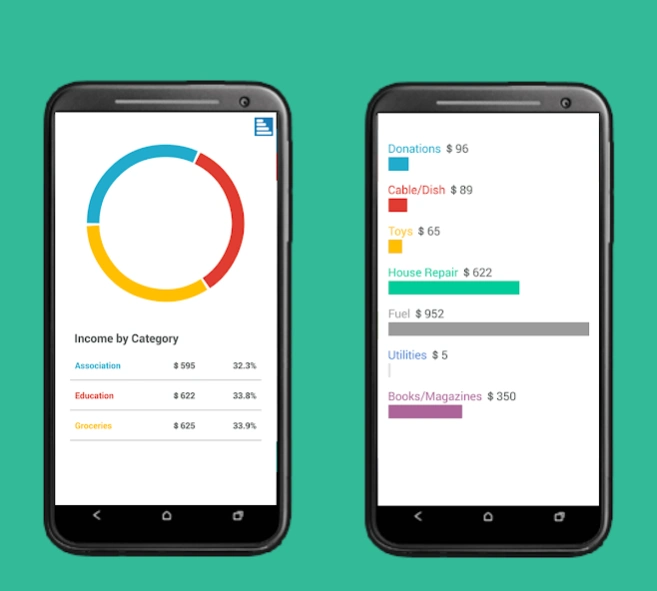
Thanks For Your response :) Manage your finances directly on your smartphones.
My Budget – Expense Tracker, Budget Planner & Money Manager
⭐ Over 1 Million Downloads
💰 Trusted Personal Finance & Expense Manager App for Android
Take control of your money with My Budget, the all-in-one expense tracker, budget planner, money manager, and bill reminder app designed to help you track expenses, manage budgets, save money, and improve your financial habits.
Whether you need a simple daily expense tracker or a complete personal finance manager, My Budget helps you organize your income, expenses, bills, accounts, and budgets in one secure and easy-to-use app.
🚀 Why My Budget?
• Daily expense tracking
• Monthly budget planning
• Personal finance management
• Business expense tracking
• Household budgeting
• Travel expense management
• Savings tracking
💸 Expense Tracker & Income Manager
Quickly record daily income and expenses in seconds. Track cash expenses, credit card payments, business expenses, personal spending, travel expenses, and household bills. Stay aware of where your money goes and improve spending habits.
📊 Budget Planner & Spending Reports
Create monthly budgets and monitor spending with expense statistics, financial reports, category-wise insights, and budget-wise tracking.
🔔 Bill Reminder & Due Payment Alerts
Never miss a payment again with notifications for upcoming bills, due payments, overdue bills, recurring expenses, and reminder snooze support.
🏦 Multiple Accounts & Wallet Management
Manage bank accounts, cash wallets, savings accounts, business accounts, and credit accounts in one place with accurate balance tracking.
🔄 Sync Across Multiple Devices
Securely synchronize your financial data across multiple Android devices.
🔒 Secure & Private
Protect your financial information using Password Lock and Pattern Lock.
📤 Export, Backup & Restore
• Export transactions
• Import Excel files
• SD card backup & restore
• Category-wise export
• Budget-wise export
📱 Home Screen Widgets
Use Quick Add Widget, Summary Widget, and Monthly Widget to add transactions instantly from your home screen.
🌍 Multi Currency Support
Supports 160+ currency symbols, custom currencies, multiple currency formats, Millions & Crores separators, and multiple date formats.
🎨 Customize Your Experience
Choose from multiple themes and personalize the app your way.
🔍 Powerful Search & Filters
Quickly search transactions by account, category, budget, or contact.
✅ Key Features
✔ Expense Tracker
✔ Income Tracker
✔ Budget Planner
✔ Bill Reminder
✔ Money Manager
✔ Spending Tracker
✔ Financial Reports
✔ Multi-Account Support
✔ Expense Statistics
✔ Backup & Restore
✔ Multi-Device Sync
✔ Excel Import
✔ Offline Expense Tracking
🌐 Supports 60+ Languages
Available in English, Español, Deutsch, Français, Italiano, Português, 日本語, 한국어, Русский, Türkçe, 中文, ไทย, Bahasa Indonesia, Vietnamese, Romanian, Norsk, Svenska, Dansk, Magyar, Polski, and more.
ℹ Important Note
Users with older Android versions may experience issues with in-app purchases. A separate paid version with all premium features unlocked is also available.
✅ One-time purchase
✅ No subscriptions
✅ Lifetime access
📲 Download My Budget today and start tracking expenses, managing budgets, monitoring bills, and improving your personal finances with one of the best expense tracker and budget planner apps for Android.
About My Budget: Expense Manager App
The company that develops My Budget: Expense Manager App is SiliconInfy. The latest version released by its developer is 8.0.
To install My Budget: Expense Manager App on your Android device, just click the green Continue To App button above to start the installation process. The app is listed on our website since 2026-08-06 and was downloaded 5 times. We have already checked if the download link is safe, however for your own protection we recommend that you scan the downloaded app with your antivirus. Your antivirus may detect the My Budget: Expense Manager App as malware as malware if the download link to com.siliconinfy.android.budget is broken.
How to install My Budget: Expense Manager App on your Android device:
- Click on the Continue To App button on our website. This will redirect you to Google Play.
- Once the My Budget: Expense Manager App is shown in the Google Play listing of your Android device, you can start its download and installation. Tap on the Install button located below the search bar and to the right of the app icon.
- A pop-up window with the permissions required by My Budget: Expense Manager App will be shown. Click on Accept to continue the process.
- My Budget: Expense Manager App will be downloaded onto your device, displaying a progress. Once the download completes, the installation will start and you'll get a notification after the installation is finished.
Program Details
System requirements
Download information
Pricing
Version History
version 8.0
posted on 2026-08-06
- Shows Notes in List
- Back Button
- Fixed Minor Issues
- Supports 73 Languages
- Android 15+ Compatibility
version 8.0
posted on 2025-11-26
- Added New Languages
- Fixed Dropbox Connection Issue in Android 12
- Shows Notes in List
- Back Button
- Fixed Minor Issues
version 2.0
posted on 2022-02-03
- Added New Languages
- Fixed Backup Issue in Android 11
- Shows Notes in List
- Back Button
- Fixed Minor Issues
version 2.0
posted on 2021-04-01
- Added New Languages
- Shows Notes in List
- Back Button
- Fixed Minor Issues
version 2.0
posted on 2019-11-21
- Added New Languages
- Back Button
- Fixed Minor Issues
- Added Shortcut : Using long press,add transactions
version 2.0
posted on 2019-02-14
- Added New Languages
- Sort Budget By Category Name
- Fixed Minor Issue
version v1.4
posted on 2016-08-16
- Fixed Major Issues,- Importing Excel,- Reminder snooze option was available,- SD Card Backup Restore,- Modified Account Balance Logic
